Widgets
Bluelocke supports both Home Screen and Lock Screen widgets, so you can check your vehicle at a glance without opening the full app.
Widget Appearance (White and Dark)
You can pick how widgets look in app settings:
WhiteDarkSystem(follows iPhone appearance)
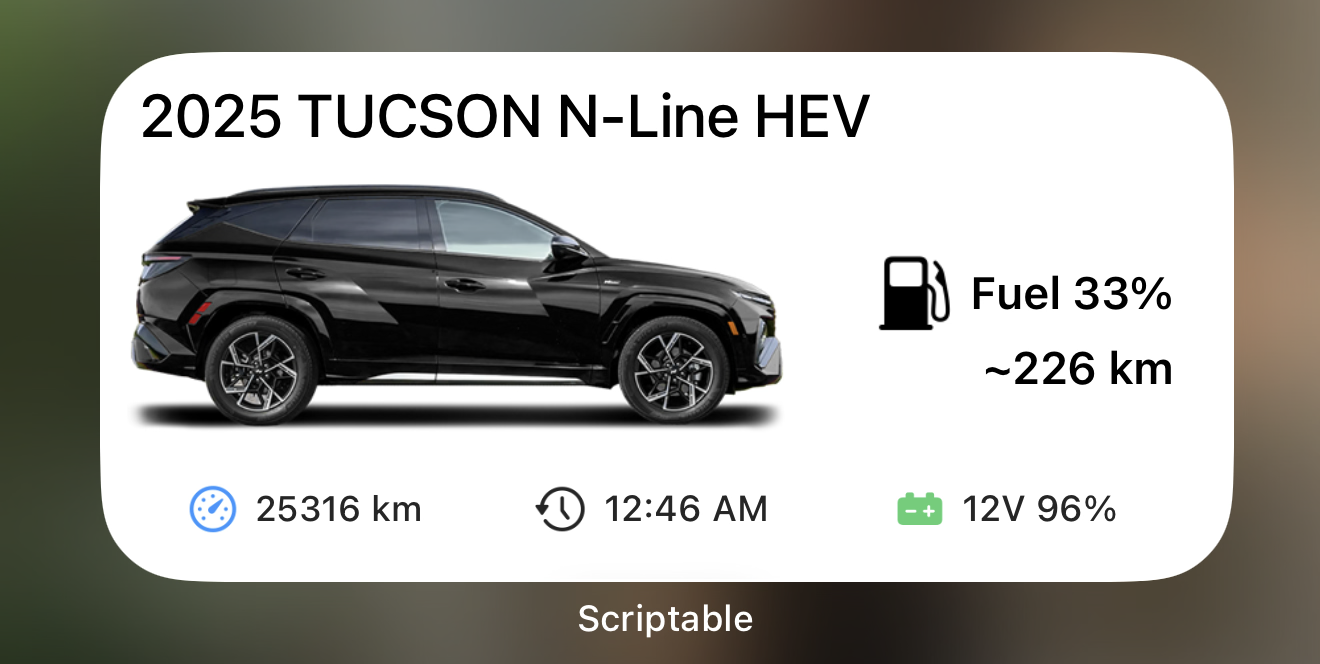
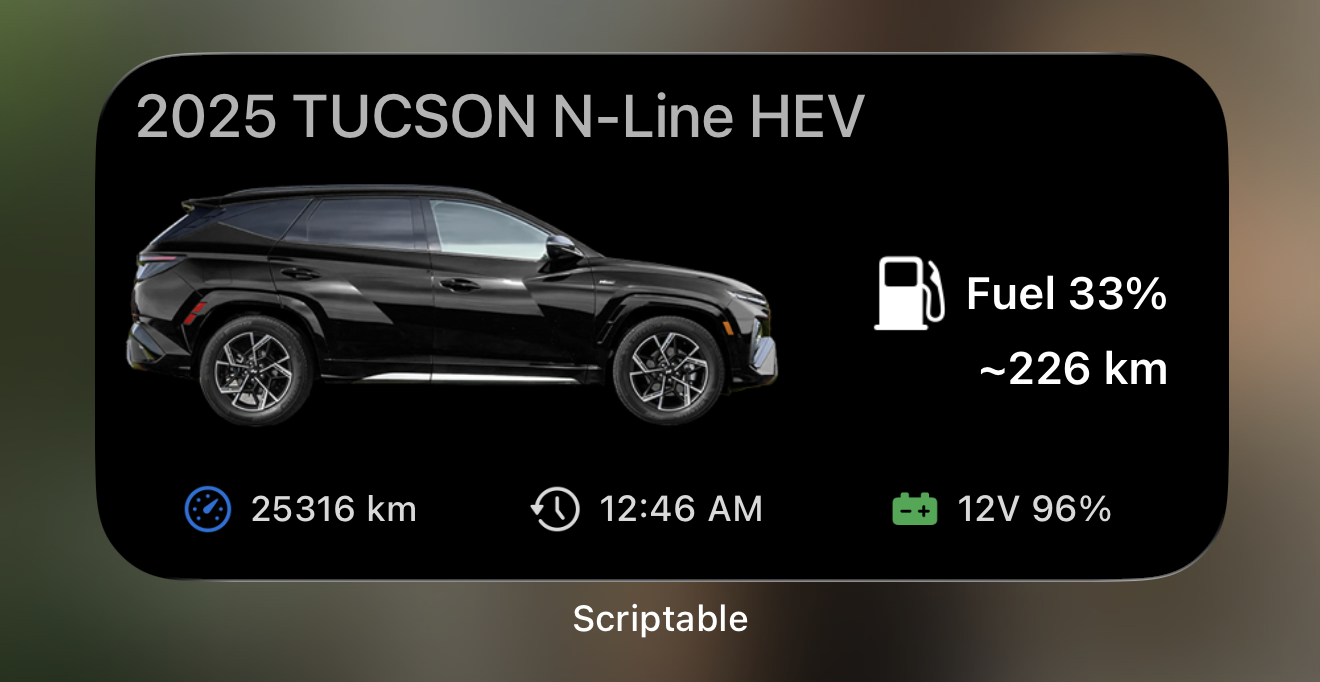
The screenshots below show the white and dark widget styles:
White Mode
Dark Mode
Home Screen Widgets
Bluelocke currently supports:
Mediumwidget
Medium Widget
The medium widget gives a fuller snapshot:
- Vehicle name at the top
- Vehicle image in the center
- Main energy/range area:
- EV/PHEV: battery level + range
- ICE/HEV: fuel level + range
- Bottom summary row:
- Odometer (mileage)
- Last updated time
- 12V battery level
For ICE/HEV vehicles, the medium widget now shows:
Fuel x%in larger text~ rangein larger text below it
Lock Screen Widgets
Bluelocke supports Lock Screen styles for faster glance info:
Inline: single-line summaryCircular: circular progress viewRectangular: compact detail view
Lock Screen Example
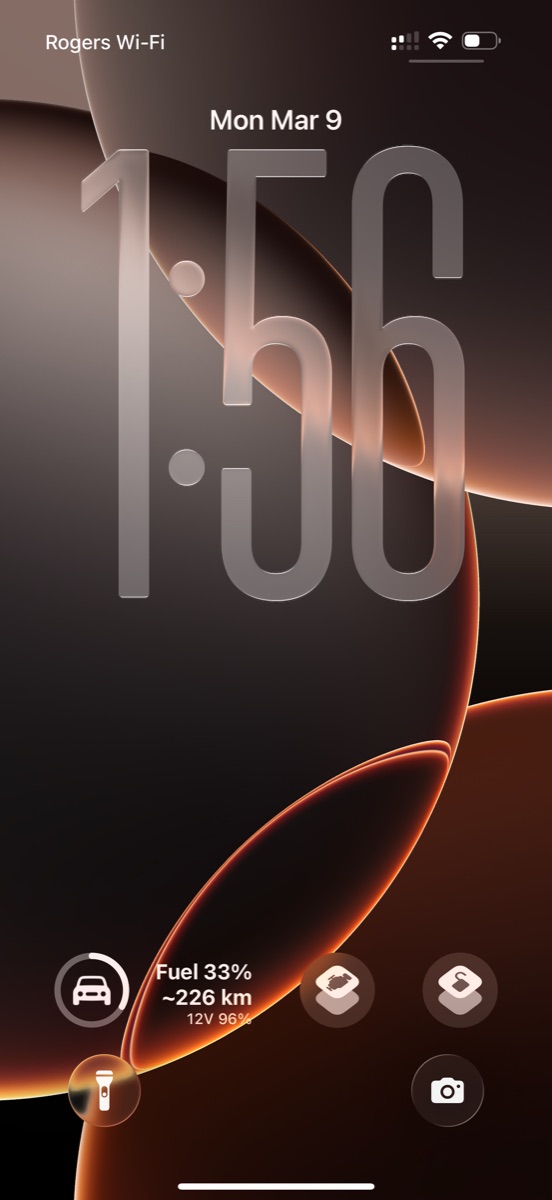
These are ideal when you only need a quick status check.
What the Widget Info Means
Here is what each value represents in plain language:
Fuel % / Battery %: How much drive energy is currently available.Range: Estimated distance left based on the latest vehicle data.Odometer: Total distance on the vehicle.Last Updated: Time of the most recent successful status refresh shown in the widget.12V: Health/charge level of the auxiliary 12V battery.Charging Info(EV/PHEV): Charging state and estimated completion time.
Refresh Behavior
Widgets are designed to stay responsive while keeping battery usage reasonable:
- Uses cached data for quick loading
- Refreshes automatically based on configured intervals
- Can trigger deeper remote refreshes if enabled
You can adjust refresh timing in app settings under Advanced Widget Settings.